


Podcast Player App - Podbean
4.628.86K Reviews
App Specs
- Version
- 9.9.3
- Updated On
- License
- Free
- Downloads
- 10,000,000+
- Developer
- Podbean - Podcast & Radio & Audiobook
- Categories
- Music & Audio
- Platform
- Android, iOS
Screenshots
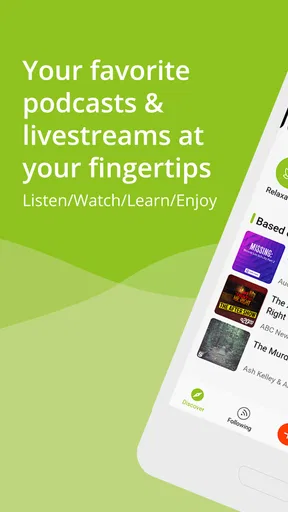
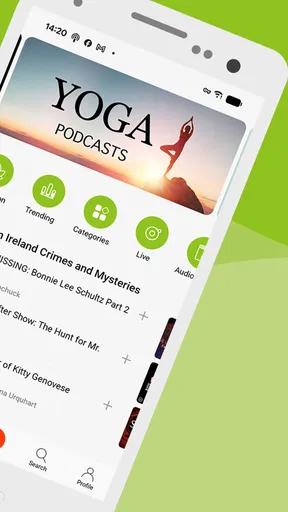
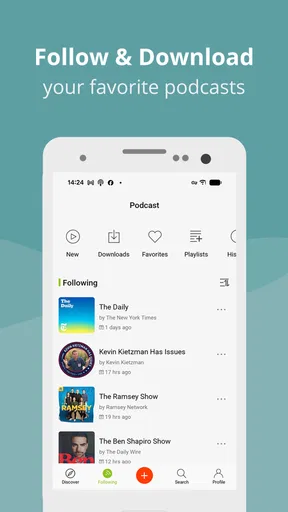
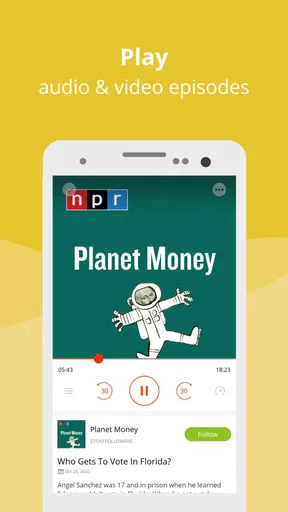
 Analysis by AppCompare
I usually judge a podcast app by what happens when my connection is less than ideal, not just by how polished it looks on a strong home Wi-Fi signal. Podcast Player App - Podbean is aimed at both people who want an easy way to listen and creators who want podcast tools in the same place. That combination is appealing, but it also means the experience depends on what you come to the app to do and how reliably you can get online.
Finding shows when you’re connected
When I have a steady connection, discovery is the part of Podbean I would explore first. It is a free music and audio app from Podbean - Podcast & Radio & Audiobook, and its catalog is presented as a broad place to look for familiar programs as well as subjects I might not normally search for. The app has a 4.6 average from around 214,000 ratings, which gives a newcomer a useful sense of how widely it is used, though that number alone can’t tell you whether its recommendations will fit your taste.
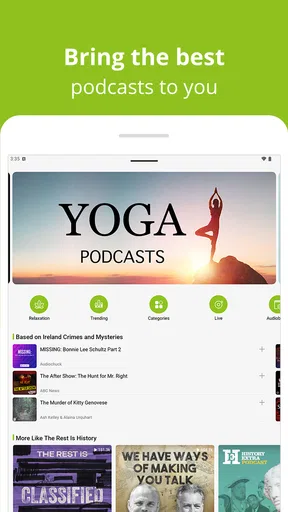
Browsing by category, trending topics, or curated playlists is a more practical starting point than typing a vague search and hoping for the best. I’d use those routes when I want to find a show for a specific mood or task: something light for cooking, a focused discussion for a walk, or a topic I can return to over several commutes. Recommendations can become more useful as listening habits build, but I wouldn’t treat them as a substitute for checking a show’s description or sampling an episode. A recommendation is a prompt, not a guarantee that the format or tone will suit you.
Live podcasts and livestreams make the connection question more noticeable. Unlike choosing a familiar episode at a time that suits me, live listening puts more weight on being online when the event is happening. That can be a draw if I want to follow a conversation as it unfolds, but it is less convenient if my schedule or signal is unpredictable. I’d keep live sessions for moments when I can give them attention and use the regular catalog when I need listening to fit around interruptions.
Listening across the day
For a reliable routine, I would plan around where I expect to have a connection rather than assume every listening situation will be the same. Podbean supports episode downloads for offline listening, so I can prepare before a flight, a remote drive, or a stretch of travel where Wi-Fi may disappear. The useful habit is to choose the episodes ahead of time and make sure they are ready before leaving a dependable network. That turns a connection-dependent activity into something I can carry with me, while avoiding the frustration of discovering an episode is not available when I need it.
That planning also helps with ordinary mobile use. On a commute, I might start an episode at home, then continue while walking or riding, where reception can vary. If I know the route includes dead spots, downloading first is more dependable than relying on the stream to recover smoothly. I would also avoid beginning a long episode right before entering a place with poor signal unless I had already prepared it. The app can be convenient on the move, but the quality of that convenience still depends on the way I prepare.
Playback speed control is useful when I have a limited window and want to get through a familiar kind of discussion more quickly. I’d use it selectively: a modest increase can help with a long interview, while a dense subject may deserve normal speed so I don’t miss context. The sleep timer suits a different situation, letting me listen at bedtime without needing to keep track of when to stop. Those small controls matter because they adapt an episode to my day, rather than requiring every listening session to happen in one uninterrupted block.
Worth Reading Before You Choose

EA SPORTS FC Mobile 26 Is a Bigger Football Game, but It Takes Time

Flipboard Shows What News Apps Must Do Beyond the Feed

Switching to Android Auto Means Rethinking Your Driving Routine

Google Calendar Makes a Crowded Week Easier to Manage

Ludo King Makes the Most of the Minutes Between Plans

Baby Panda World Brings Quick Play to Modern Phones, but Its Game Library Feels Busy
When a session is interrupted
Mobile listening rarely happens in perfect conditions. A call, a change in coverage, or simply reaching the end of a Wi-Fi area can break the flow. I find it sensible to treat streaming as the option for stable connections and downloaded episodes as preparation for uncertain ones. If playback stops, I’d first check whether the connection has returned, then try the episode again; for a journey where that interruption would be a nuisance, I’d make the download decision before setting off instead of troubleshooting on the roadside or platform.
There is a trade-off here: keeping episodes ready takes a little forethought, while streaming is easier when I’m browsing or unsure what I want to hear. Downloads are most useful for a small queue of episodes I genuinely expect to play soon. Preparing an enormous backlog can make it harder to choose, and it is not necessary if I usually listen at home or in places with reliable Wi-Fi. I’d let my routine determine how much I prepare, rather than treating offline access as a reason to save everything.
Making and sharing podcasts
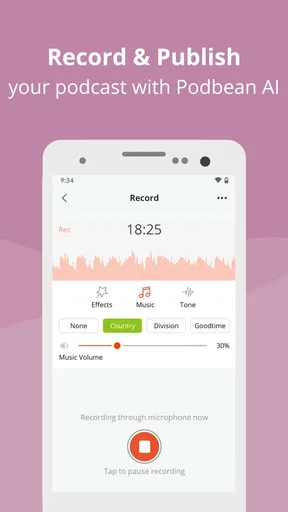
Podbean is not only for listeners. Its integrated recording and publishing tools are aimed at people who want to begin making a podcast from a phone, which can lower the barrier to trying an idea. That is useful for a first recording, a quick spoken update, or testing whether a subject works as audio before investing in a more elaborate setup. I would still think carefully about the environment: a quiet room and a clear plan matter more to a listenable recording than the convenience of having a record button close at hand.
The creator side also includes analytics for a podcast’s performance. I’d treat those figures as feedback to consider alongside the content itself, not as a complete explanation of why an episode connects with listeners. Looking at which episodes perform better can help me decide what to explore next, while listener locations may offer a broad picture of reach. It is a practical addition for someone publishing regularly, but a casual creator may not need to check analytics after every release.
Comments, social sharing, and participation in live podcasts give listeners ways to respond rather than simply play an episode and move on. I can see the appeal when a show invites discussion or when I want to send a specific episode to a friend. The social layer is optional in spirit: someone who prefers private, uninterrupted listening can focus on the player, while a creator or engaged fan may appreciate having conversation and sharing close by. Live participation also brings us back to connectivity, since an unstable connection is a poor match for a real-time exchange.
Who will get the most from it?
I think Podbean suits listeners who like exploring different subjects, want playback controls, and sometimes need to prepare episodes for travel. It is also a reasonable fit for an aspiring creator who values having recording, publishing, and basic performance insights together. The app has more than 10 million installs, is rated Teen, and its current version is 9.8.0; it requires Android 8.0 or later. It is free to install, with in-app purchases ranging from $0.99 to $99.99 per item, so I’d check purchase details before choosing anything that costs extra.
It may be less appealing if I want a very minimal player and have no interest in recommendations, live content, or creator tools. Someone who mostly listens to a fixed set of programs may prefer an app whose interface is centered entirely on a simple queue. Likewise, if I expect uninterrupted listening on a weak connection without preparing episodes, Podbean cannot make that network dependable. A dedicated recording setup may be a better choice for a creator who needs a more controlled production workflow than a phone-based starting point.
Compared with the usual podcast alternatives, Podbean’s distinguishing appeal is the mix of listening and creation features, plus discovery and live participation. A basic podcast player can be easier to keep focused on subscriptions and playback; a separate creator service may be a better fit for a more demanding publishing process. I’d choose Podbean when I want to browse, listen, and potentially make a show without splitting those activities across several tools. If my priority is only a clean, predictable listening queue, I’d compare the interface with simpler players before settling in.
All About That Content
First off, let's talk about the sheer variety of content you can find on Podbean. Whether you're into true crime, comedy, education, or niche hobbies, there's something here for everyone. The app features over 750,000 podcasts! Yes, you read that right. From popular shows to hidden gems, it feels like there's no end to the content you can explore.
One of my favorite things about Podbean is its personalized recommendations. The more you listen, the better it gets at suggesting podcasts you'll love. It's like having a friend who really gets your taste. Plus, the app's interface makes browsing and discovering new shows a breeze. You can search by category, trending topics, or even explore curated playlists.
Easy Listening Experience
Now, let's talk usability. Podbean is super user-friendly. The layout is clean, and everything is pretty intuitive. Even if you're not tech-savvy, you'll find navigating through the app a walk in the park. You can download episodes for offline listening, which is perfect for those long flights or remote road trips without reliable Wi-Fi.
Another feature I genuinely appreciate is the playback speed control. Sometimes, I like to speed things up a bit, especially if I'm binge-listening. The app allows you to adjust the speed, so you can listen at your own pace. And let's not forget the sleep timer for those who love falling asleep to their favorite shows.
Creating Your Own Content
If you've ever thought about starting your own podcast, Podbean has you covered there too. The app offers an integrated podcast recording and publishing feature. It's surprisingly easy to use, even for beginners. You can record, edit, and publish right from your phone. It’s a game-changer for aspiring podcasters looking to get their content out into the world without needing a ton of equipment.
Podbean also provides detailed analytics, so you can track your podcast's performance. It's fascinating to see where your listeners are tuning in from and which episodes are hitting the mark. These insights can really help in tailoring your future content.
Community and Social Features
One aspect that sets Podbean apart is its community features. You can engage with other listeners, leave comments on episodes, and even participate in live podcasts. It's like being part of a global conversation, right from your living room.
Plus, the app integrates with social media platforms, making it easy to share your favorite episodes with friends or followers. Whether you’re promoting your own podcast or just sharing a great episode you found, Podbean makes it seamless.
Wrapping It Up
All in all, Podcast Player App - Podbean is a robust, feature-rich app that caters to both listeners and creators. Whether you're a podcast aficionado or just dipping your toes into the world of podcasts, Podbean is worth checking out. It's got the content, the features, and the community to keep you engaged and coming back for more.
So, if you haven’t already, give Podbean a try. Download it from the Google Play Store or Apple App Store and dive into your next podcast obsession. Trust me, your commute will never be the same again.
Pros
- User-friendly interface for easy navigation.
- Extensive library of podcasts available.
- Offline listening mode saves data.
- Customizable playback speed options.
- Integration with smart devices is seamless.
Cons
- Some ads can be intrusive at times.
- Limited free features compared to premium.
- Occasional playback bugs reported.
- Search functionality needs improvement.
- UI can feel cluttered on smaller screens.
FAQs for Podcast Player App - Podbean
What features does the Podbean app offer for podcast listeners?
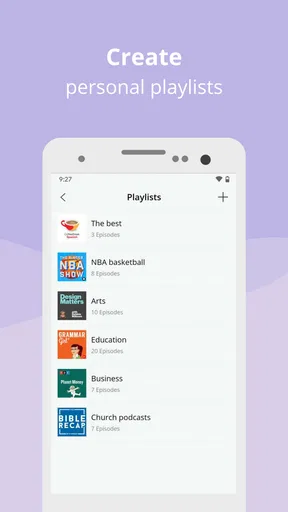
Podbean offers a wide range of features for podcast listeners, including customizable playlists, offline listening, and personalized recommendations based on your listening history. The app also supports streaming over Bluetooth and Chromecast, allowing you to enjoy podcasts on various devices. Additionally, it provides options for adjusting playback speed, sleep timers, and more to enhance your listening experience.
Is Podbean free to use, or does it require a subscription?
Podbean offers a free version that provides access to its vast library of podcasts with essential features. However, it also offers premium plans with additional features like ad-free listening, increased storage for your own podcasts, and advanced analytics. These premium features are available through in-app purchases and subscriptions, providing users with various options based on their needs.
How does Podbean perform in terms of user interface and ease of use?
Podbean boasts a user-friendly interface that is both clean and intuitive, making it easy for users of all experience levels to navigate. The app organizes podcasts into various categories and allows for easy searching and discovery. Its simple design ensures that users can quickly find and manage their favorite podcasts without any hassle, enhancing the overall user experience.
Can I create and publish my own podcasts using the Podbean app?
Yes, Podbean allows users to create and publish their own podcasts directly from the app. It provides tools for recording, editing, and uploading episodes, making it convenient for aspiring podcasters to manage their content. Additionally, Podbean offers hosting services and analytics to help users track their podcast's performance and reach a wider audience.
What are the main limitations or cons of using the Podbean app?
While Podbean offers many features, some users may find the app's premium features and subscriptions costly if they require advanced options. Additionally, users who prefer a more minimalistic approach might find the app's extensive features overwhelming. Despite these potential downsides, Podbean remains a robust choice for both listeners and creators due to its comprehensive offerings.


